The problem with how most PMs handle documents
If you're managing 100+ doors, you know the routine: generate a lease in your property management software, export it as a PDF, email it to the tenant, wait for them to print, sign, scan, and email it back (or drive to your office), then chase the landlord for their counter-signature. Repeat for every addendum, disclosure, and move-in document.
The average lease packet has 3 to 5 documents and 2 to 3 signers. Multiply that by 15 to 20 move-ins per month and you're spending hours just on document coordination. Not counting the follow-up emails when someone "forgot" to sign page 4.
What automated lease signing looks like
Here's the workflow that eliminates the back-and-forth:
- Tenant applies on your board. Their name, email, and unit info live in monday.com columns. You already have this.
- You click Send Packet. A pre-built template pulls the tenant name, unit address, lease dates, and rent amount from your board columns and generates the documents.
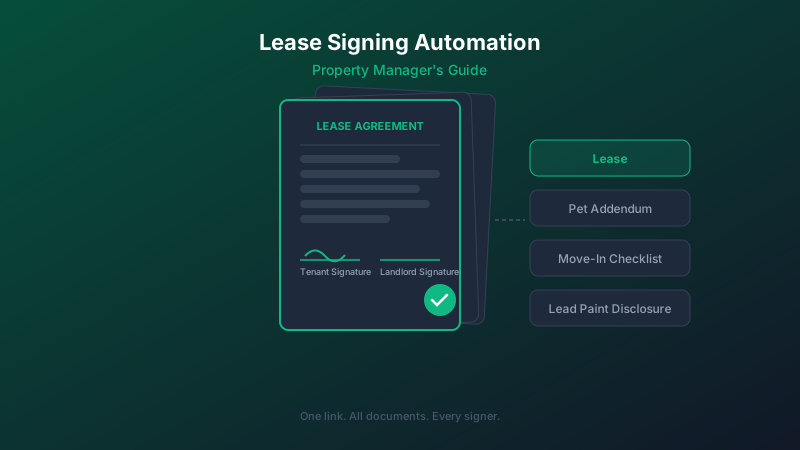
- The tenant gets one link. They open it on their phone, review the lease, pet addendum, lead paint disclosure, and move-in checklist, all in sequence. They sign each document, one after another.
- The landlord gets their link next. Once the tenant completes, the landlord is automatically notified to counter-sign.
- Your board updates automatically. The status column moves from Sent to Tenant Signed to Completed. Signed PDFs and the audit trail attach to the monday.com item.
Total time from your desk: about 30 seconds. Total time waiting for signatures: usually under 24 hours instead of 3 to 5 days.
Why multi-document packets matter
A lease is never just a lease. A typical move-in packet includes:
- Lease agreement
- Pet addendum (if applicable)
- Lead-based paint disclosure (for pre-1978 properties)
- Move-in condition checklist
- Rules and regulations acknowledgment
Most e-signature tools handle one document at a time. That means 5 separate emails, 5 separate signing links, 5 opportunities for the tenant to get confused or drop off. With packet-based signing, it's one link, one session, all documents signed in order.
The multi-signer challenge
Property management documents almost always have multiple signers. A lease needs the tenant and the landlord (or property manager signing on behalf). A joint lease might have two tenants and a landlord. A sublease involves the original tenant, the subtenant, and the landlord.
The signing tool needs to handle this cleanly: each signer gets their own fields, signs in the right order, and the document isn't complete until everyone has signed. If your e-signature app charges per signer or limits signers per document, costs escalate quickly for PM workflows.
What to look for in a PM signing tool
Not every e-signature tool is built for property management. Here's what matters:
- Multi-document packets. Bundle all move-in documents into one signing session.
- Multiple signers per document. Tenant + landlord is the minimum. Joint leases need 3+. Look for tools that don't charge extra per signer.
- Document generation from board data. Auto-fill tenant name, address, rent, and dates from monday.com columns. No manual editing.
- Board status sync. Signing progress visible in monday.com without opening another app.
- Legally defensible audit trail. Timestamps, IP addresses, and signer consent records. You'll need this if a lease is ever disputed.
The result
Teams that switch from manual lease coordination to automated packet signing typically see:
- Lease turnaround drops from 3 to 5 days to under 24 hours
- Document coordination time drops by 80%+ per move-in
- Zero "unsigned page 4" problems (every field is required before completion)
- Complete audit trail for every signed document
The lease doesn't move faster because tenants suddenly got more responsive. It moves faster because you removed every friction point between "lease is ready" and "lease is signed."