Two laws, one principle
Electronic signature legality in the United States rests on two laws:
- The ESIGN Act (Electronic Signatures in Global and National Commerce Act, 2000). Federal law that gives electronic signatures the same legal weight as handwritten signatures in interstate and foreign commerce.
- UETA (Uniform Electronic Transactions Act). Adopted by 49 states (New York has its own equivalent), UETA provides the state-level framework for electronic transactions.
The core principle of both: an electronic signature cannot be denied legal effect solely because it is in electronic form. In plain English, a digital signature on a PDF is just as binding as ink on paper.
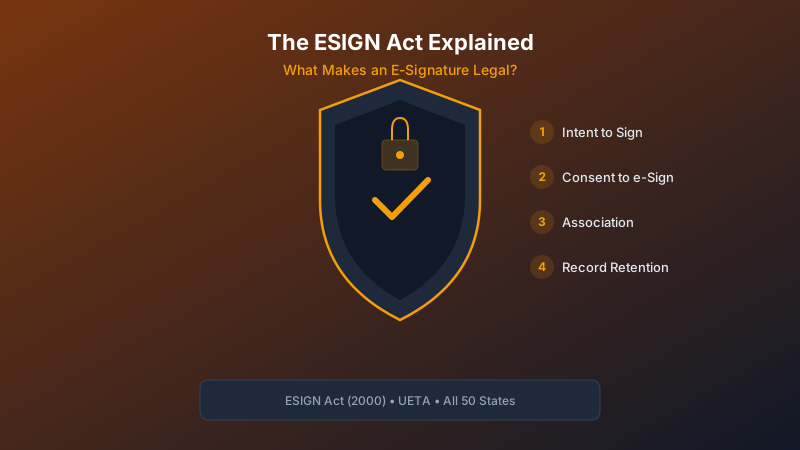
The four requirements for a valid e-signature
For an electronic signature to hold up legally, four conditions must be met:
- Intent to sign. The signer must demonstrate clear intent to sign the document. Clicking "I Agree" or drawing a signature on a touchscreen both qualify. The key is that the action is deliberate, not accidental.
- Consent to do business electronically. All parties must agree to conduct the transaction electronically. This is typically captured through a consent disclosure before the signing process begins. The signer must have the option to opt out and request a paper process.
- Association of signature with the record. The signature must be connected to the specific document being signed. The signing tool must clearly show which document the signer is agreeing to, and the signature must be permanently embedded in or attached to that record.
- Record retention. The signed document must be stored in a way that is accessible, reproducible, and retainable by all parties. If someone needs to verify the signed document later, it must be available in its original form.
What the law doesn't require (but you should want)
The ESIGN Act sets a low bar for validity. It doesn't require specific technology, specific security measures, or specific audit trail data. But if a signed document is ever challenged in court, the question becomes: can you prove the signature is authentic?
That's where the difference between "technically legal" and "legally defensible" matters. A robust e-signature tool captures:
- Signer identity. Name and email of each signer.
- Timestamps. Exact date and time of each action (document opened, each field signed, submission completed).
- IP address. The network location of the signer at the time of signing.
- Browser and device info. What device and browser were used to access the signing session.
- Consent record. Proof that the signer agreed to sign electronically before beginning.
- Document integrity. Proof the document wasn't altered after signing (hash verification).
This collection of evidence is called a Certificate of Signature or audit trail. It's what makes the difference between "we have a signed PDF" and "we can prove in court exactly who signed, when, from where, and that the document hasn't been modified since."
What types of documents can be e-signed?
Almost everything. The ESIGN Act and UETA cover the vast majority of business documents:
- Contracts and service agreements
- Residential and commercial leases
- Employment offers and onboarding documents
- NDAs and vendor agreements
- Change orders and project approvals
- Insurance forms and claims
A few exceptions exist where e-signatures are not accepted:
- Wills, codicils, and testamentary trusts
- Adoption and divorce papers
- Court orders and notices
- Utility service cancellations
- Product recall notices
For the vast majority of business and property management use cases, electronic signatures are fully valid.
What to look for in your e-signature tool
When evaluating signing tools for legal compliance, check for:
- Consent capture. Does it record that the signer agreed to sign electronically?
- Tamper evidence. Can you verify the document wasn't altered after signing?
- Audit trail. Does it generate a detailed record of the signing process (timestamps, IPs, device info)?
- Secure storage. Are signed documents stored with encryption and access controls?
- Certificate of Signature. Is the audit trail packaged as a standalone document you can present in a legal proceeding?
A tool that checks all five gives you legal defensibility, not just legal validity.
Bottom line
Electronic signatures are legal. That's settled law since 2000. The real question is whether your signing tool captures enough evidence to defend that signature if it's ever challenged. The ESIGN Act sets a floor. A good e-signature tool raises the ceiling.
Disclaimer. This article is for informational purposes only and does not constitute legal advice. Consult an attorney for questions about electronic signature compliance in your specific jurisdiction or use case.